
Education Network Monitoring
Splitpoint Solutions monitors campus Wi-Fi, learning platforms and the networks behind them — across every building, every device and every online exam. MIVU shows your IT team what students are actually experiencing, before the helpdesk does.
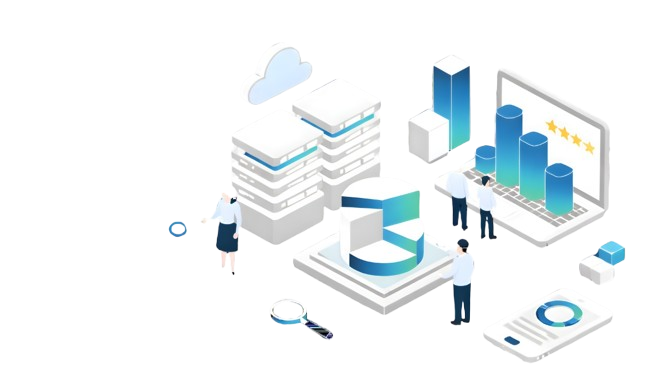
Education Network Monitoring Solutions
Schools and universities run on infrastructure nobody notices until an exam fails to load. Through infrastructure monitoring solutions, Splitpoint covers the campus network end to end — wireless, wired, cloud and the learning platforms on top of it.

Campus-Wide Wi-Fi Visibility
Every access point, controller and switch across every building — with client counts, channel utilisation and signal quality per AP, so a dead zone in a lecture hall surfaces before a lecturer reports it.

Learning Platform Performance
Response times for Canvas, Moodle, Blackboard, Google Classroom and Microsoft 365, measured from the classrooms that use them rather than from the data centre.

Compliance and Audit Logging
Retained records of network activity and configuration change, exportable for FERPA, COPPA and district or state reporting requirements.

Exam and Peak-Period Readiness
Capacity baselined ahead of assessment windows and enrolment periods, so a bottleneck appears in a report rather than during a timed exam.
What Role Does Network Monitoring Play in Digital Learning?
Digital learning depends on infrastructure that was mostly built for a different era of campus IT. MIVU, from Splitpoint Solutions, gives schools and universities visibility across the five layers where teaching actually breaks.
LMS and Video Platforms
Canvas, Moodle, Blackboard, Teams and Zoom monitored for response time and failed sessions, so a slow LMS during submissions week is caught as a network event rather than a queue of support tickets.
Campus Wi-Fi and BYOD
Thousands of student-owned devices joining at 9am. Per-AP density, channel interference, authentication failures and roaming problems tracked live across every building.
Cloud and On-Premises Systems
Student information systems, cloud storage and on-premises servers on one timeline — including the links between campuses and satellite sites.
Managed Devices and Labs
Lab machines, staff laptops and shared devices tracked for connectivity, reachability and network health. Device performance, not device content.
Security & Data Protection
Unusual device behaviour, rogue access points and unauthorised access attempts flagged across the campus network.

How Education Network Monitoring Works

Deploy Across Campus
A collector per campus or data centre. Wireless controllers, switches, firewalls and cloud accounts connected over SNMP and read-only API access. No agents on student devices.

Measure What Students Experience
Synthetic checks against your LMS and key applications, run from real classrooms and residences alongside device-level performance data.

Detect Before the Helpdesk Does
Baselines learn what a normal Tuesday looks like on your campus, so alerts fire on genuine deviation rather than on term-time traffic that is supposed to be there.

Report and Plan Capacity
Utilisation trends by building, by access point and by term, so refresh budgets and capacity decisions are backed by data instead of complaints.
Why Choose Us
See why leading enterprises are switching to Splitpoint Solutions.
| Feature | Splitpoint | Traditional Tools |
|---|---|---|
| Campus-wide Wi-Fi & network visibility | ✓ | Partial |
| Real-time monitoring | ✓ | Limited |
| AI-powered alerts | ✓ | ✕ |
| Privacy-compliant data handling | ✓ | Tool-dependent |
| Predictive analytics | ✓ | ✕ |
| 24/7 expert support | ✓ | Varies |
| Setup time | Minutes | Days–weeks |
Trusted Network Monitoring for Education
Education networks carry student records, exam systems and minors’ data. Here is exactly what MIVU sees, and what it does not.

Metadata, Not Content
MIVU sees which applications and devices use the network and how much bandwidth they consume. It does not inspect browsing history, messages or file contents. Nothing about an individual student is in the dataset.

Education-Ready Security
Rogue access points, unusual device behaviour and unauthorised access attempts flagged across every campus network, without touching endpoint data.

Exam-Period Assurance
Capacity and performance baselined ahead of assessment and enrolment windows, when the network is under the load that matters most.

Audit and Reporting
Exportable logs of network activity and configuration change, with retention periods you set, for compliance reviews and board reporting.
Trusted by leading companies across industries






Why teams
choose
Splitpoint
Built to give your team complete visibility and control over the systems that matter.

See everything in one place
Eliminate blind spots. Monitor network, infrastructure and applications together, instead of stitching together separate tools.

Find the root cause faster
Move from guessing to knowing. Trace an issue across the stack and fix it before it reaches your users.

Built for enterprise scale
Designed to handle high-volume environments without slowing down or losing detail.

Your data, your control
Analyse, troubleshoot and report on your own terms, with full access to the underlying data.
All Articles
Network Monitoring for Schools: Security and Uptime
Network monitoring has become essential for schools, colleges, and universities, which run on...
Network Monitoring Challenges Faced by Schools and Colleges
Running a campus network today looks nothing like it did even five years ago. Between online...

Key Types of Network Monitoring Used in the Education Industry
A district can run three monitoring tools and still not know why a state assessment stalled in the...

Top 11 Network Monitoring Tools for the Education Industry
A district network can pass every uptime check on the dashboard and still be failing. Ninth period...

Hybrid Infrastructure: The Enterprise Blueprint for Modern IT Operations
Enterprise IT no longer runs from a single location. Most organizations today operate distributed...
Top 5 Features to Look for in Data Center Network Monitoring Tools
Data center network monitoring tools are software platforms that continuously track the health,...
Frequently Asked Questions
Everything you need to know before getting started with Splitpoint Solutions.
What can a college or university actually see on the campus Wi-Fi?
Network infrastructure monitoring sees traffic volume, application category, device type and connection quality. It does not read messages, browsing history or file contents. An IT team can tell that a residence hall is saturating its uplink with video streaming; it cannot tell which student watched what. Content-level visibility requires separate filtering software, which is a different product category
How can school IT teams get alerts when critical educational apps go down or slow down?
Run synthetic checks against the applications teaching depends on — the LMS, the SIS, video platforms — from the classrooms and buildings that use them, not from the data centre. When response time deviates from that location’s baseline, the alert fires before the first support ticket arrives. Server-side monitoring alone cannot see a problem that only exists on one campus.
How can schools identify Wi-Fi connectivity issues before they disrupt classroom learning?
Monitor per-access-point client density, channel interference, authentication failures and roaming behaviour continuously, and compare each against what is normal for that room at that hour. Most classroom Wi-Fi failures are predictable: the same rooms saturate at the same times. Baseline data turns that pattern into a scheduled fix rather than a recurring escalation.
How do you scale network monitoring across an entire district?
Deploy a collector at each site so polling and flow collection stay on the local network, then aggregate summarised network monitoring data into one district dashboard. Only a few kilobits per second cross the WAN, monitoring continues if a site loses connectivity, and the district view stays a single pane rather than one console per school
How can schools detect unusual device behaviour on their networks?
Behavioural baselining flags devices that deviate from their own normal pattern — a lab machine suddenly transferring large volumes at 2am, an unknown device authenticating from a staff-only VLAN, or a rogue access point broadcasting a familiar SSID. Detection is based on network behaviour, not on inspecting what is on the device
How should universities choose a network monitoring solution for digital learning?
Judge it on four things: whether it measures from classrooms rather than only from the data centre, whether it covers wireless and cloud in the same view, whether it alerts against seasonal baselines rather than static thresholds, and what it does with student data. Campus networks are empty in July and saturated in September — a tool that cannot handle that will alert constantly or not at all.
What are the best network monitoring tools for education IT teams?
The right tool for a campus differs from a corporate one in three ways: it has to handle BYOD density on wireless, it has to measure learning platform performance from the buildings that use them, and it has to keep student data out of the dataset. Splitpoint MIVU is built for those constraints, deploys in under a day per campus, and can be run by your team or by ours.