
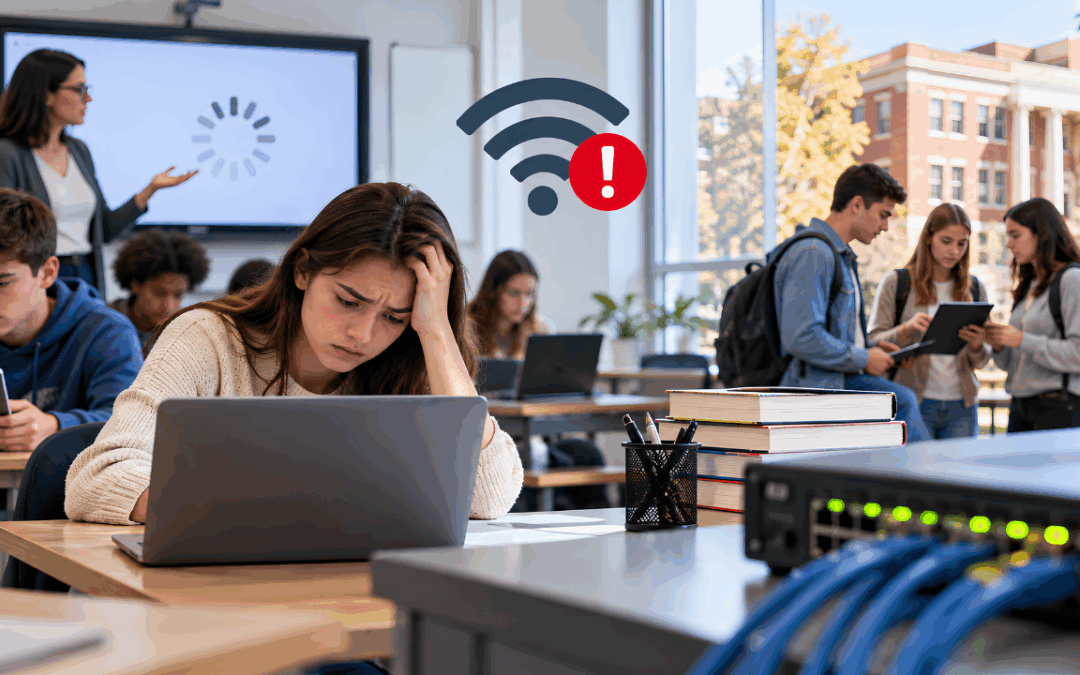
Running a campus network today looks nothing like it did even five years ago. Between online classrooms, cloud-based grading systems, connected devices, and thousands of students logging in from personal laptops and phones, network monitoring has become one of the hardest, and most important, jobs an education IT team handles.
Schools and colleges aren’t just monitoring a network anymore; they’re monitoring a constantly shifting environment with limited staff, aging equipment, and a growing list of security risks. This article breaks down the biggest challenges education IT teams run into when monitoring their networks, and what actually helps close those gaps.
IT Infrastructure Challenges in Education
Many of the problems education IT teams deal with trace back to the underlying infrastructure itself. These challenges show up in a few recurring ways across schools and colleges:
- Aging hardware. Switches, routers, and access points installed a decade ago weren’t built to handle today’s device density, and replacing them all at once usually isn’t in the budget.
- Inconsistent infrastructure across buildings. A district with schools built in different decades often ends up with a patchwork of network equipment, wiring standards, and Wi-Fi coverage that varies wildly from one building to the next.
- Limited redundancy. Many campus networks still rely on a single point of failure for critical links, which means one bad cable or one failed switch can take down an entire building.
- Fragmented monitoring tools. IT teams often end up checking multiple separate systems for network health, security alerts, and performance data instead of working from one unified view.
- Budget cycles that don’t match technology cycles. Hardware refresh budgets are usually planned years in advance, while the demands on the network (more devices, more bandwidth, more cloud applications) grow every semester. Many districts plan network upgrades around E-Rate funding cycles, which makes it even more important to know which equipment needs replacing first.
These infrastructure challenges compound over time. A network that was adequate five years ago often can’t keep up with current demand, and without solid monitoring in place, IT teams don’t always know exactly where the weak points are until something breaks.
Network Performance Issues That Affect Learning
Network performance issues hit differently in a school setting than they do in a typical office. For example, a slow connection during a video conference call at a business is an inconvenience. However, a slow connection during a state assessment, a virtual class session, or a college’s registration period can disrupt learning directly. As a result, it can affect grades, deadlines, or even test results.
Some of the most common performance issues education networks run into include:
- Bandwidth saturation during predictable high-traffic periods, like the first week of the semester or standardized testing windows.
- Latency, jitter, and packet loss that make video calls choppy and online collaboration tools frustrating to use.
- Wi-Fi dead zones in older buildings where thick walls or poor access point placement leave gaps in coverage.
- Access point overload where too many devices connect to a single access point during peak periods.
- Application slowdowns when cloud-based learning platforms compete for bandwidth with everything else running on the network.
- Unplanned congestion from guest devices, streaming, or non-academic traffic eating into bandwidth meant for instruction.
Left unmonitored, these problems tend to get blamed on “the Wi-Fi” broadly, when the real cause is usually something specific: an overloaded access point, a misconfigured switch, or a single application consuming far more bandwidth than expected. That’s where the right monitoring tools make the difference: they can isolate the actual source of a slowdown. That saves IT teams from chasing symptoms, and saves teachers and students from losing instructional time to a mystery outage that takes hours to diagnose.
Education Network Security Risks
Education network security has become a bigger concern every year. Schools hold a mix of sensitive data (student records, health information, staff payroll details) while often running on the same tight budgets and thin staffing that make infrastructure and performance harder to manage in the first place. That combination makes education one of the more frequently targeted sectors for ransomware and phishing attacks, a risk the U.S. Cybersecurity and Infrastructure Security Agency (CISA) sets out in its K-12 cybersecurity report.
Why Education Is a Frequent Target
A few factors make security especially difficult to maintain in schools and colleges:
- A large, constantly changing user base. Students graduate, new students enroll, and staff turn over every year, which means access permissions and device inventories are always shifting.
- Widespread use of personal devices. BYOD policies make it hard to enforce the same security standards across every device connecting to the network, and IT teams rarely have full control over hardware brought in by students and staff.
- Limited security staffing. Many districts don’t have a dedicated security team, so network monitoring has to do double duty, flagging both performance problems and security threats.
- Compliance requirements. Laws like FERPA govern how schools protect and disclose student records, and a lack of visibility into network activity makes it harder to demonstrate that records are being safeguarded, or to respond quickly if something goes wrong.
Without strong visibility into what’s happening across the network, these risks tend to go unnoticed until they become full incidents: a compromised account, a data exposure, or a ransomware attack that spreads before anyone catches it.
Risks Unique to Campus Environments
Beyond the general risks above, campus networks face a specific set of network security challenges tied to how open and decentralized education environments tend to be.
- Open, semi-public networks. Guest Wi-Fi, visiting parents, and community events all create access points that a typical corporate network wouldn’t need to account for.
- A huge range of connected devices. IoT equipment like badge readers, security cameras, HVAC controllers, and smart boards often sit on the network with little oversight, and each one is a potential entry point. Placing these devices on their own network segment, and monitoring what they connect to, limits the damage if one is compromised.
- Multiple buildings, one security posture. A district needs consistent protection across every building, but decentralized management often means security policies are applied unevenly from site to site.
- Delayed detection. Without real-time alerting, a compromised device or unauthorized access attempt can go unnoticed for days or weeks, giving an attacker plenty of time to move through the network.
These challenges don’t have a single fix. They require consistent, ongoing visibility across every part of the network (wired, wireless, cloud, and IoT) rather than a security tool that only watches one piece of the puzzle. For cloud-hosted systems, cloud-based network monitoring extends that visibility beyond the campus.
How Schools and Colleges Can Overcome These Challenges
These challenges are solvable, but they do require a shift from reactive troubleshooting to proactive, continuous monitoring. A few practices make the biggest difference:
- Centralizing visibility. Bringing network, infrastructure, and application performance data into a single dashboard, and integrating it with existing security tools, cuts down on the time IT teams spend jumping between tools, especially when staffing is limited.
- Automating alerts. Rather than relying on someone to notice a problem, automated alerting flags unusual activity or performance drops as they happen.
- Establishing a baseline. Knowing what “normal” traffic and performance look like makes it much easier to spot something abnormal, whether that’s a security threat or a failing piece of hardware.
- Prioritizing based on risk and impact. With limited budgets, it helps to focus infrastructure upgrades and security investments on the buildings, devices, or systems that carry the most risk.
- Building in redundancy where it matters most. Critical links, such as the connection to a district’s core systems, benefit the most from backup paths that prevent a single point of failure from taking down the network.
This does not require ripping out and replacing an entire network overnight. Most districts and colleges make progress by improving visibility first, since that’s what reveals exactly where infrastructure, performance, and security problems are actually coming from. For a closer look at how monitoring addresses these problems day to day, see How Schools and Universities Use Network Monitoring for Security and Reliability and Key Types of Network Monitoring Used in the Education Industry.

Conclusion
Network monitoring in education comes with a unique mix of obstacles: infrastructure that hasn’t kept pace with demand, performance issues that directly disrupt learning, and security risks tied to a large, constantly changing population of students and devices. These challenges rarely exist in isolation. An aging switch can cause both a performance problem and a security blind spot, and an unexplained performance anomaly is often the first sign of a security incident.
The districts and colleges that manage this well treat monitoring as one connected system rather than three separate concerns. With the right visibility in place, IT teams can move from constantly reacting to problems toward catching them early, protecting student data, and keeping classrooms connected without interruption.
Bringing It All Together with Mivu by Splitpoint Solutions
Every challenge covered here (aging infrastructure, performance issues, security gaps) comes back to the same root problem: a lack of consistent visibility across the network. That’s exactly the gap Mivu by Splitpoint Solutions was built to close. Mivu gives education IT teams a single, real-time view of network, infrastructure, application, and end-user experience performance across every building and site, so problems can be caught and addressed before they affect students or staff.
For schools and colleges managing tight budgets and thin IT staff, unified visibility is what makes these challenges manageable with a small team. Instead of juggling multiple disconnected tools, IT teams get one platform that scales to the size and complexity of education networks, backed by the expertise of the Splitpoint Solutions team. If your district or college is ready to move from reactive troubleshooting to proactive, always-on visibility, book a Mivu demo to see how it can work for your network.
FAQ
What makes network monitoring harder for schools than for typical businesses?
Schools manage a much larger and more unpredictable mix of devices, users, and buildings, often with a smaller IT team and tighter budget than a similarly sized business would have.
What are the most common IT infrastructure challenges schools face?
Aging hardware, inconsistent equipment across buildings, limited redundancy, and fragmented monitoring tools are among the most common infrastructure challenges education IT teams deal with.
Why do network performance issues happen so often on campus networks?
High device density, seasonal traffic spikes, and older Wi-Fi infrastructure all contribute to performance issues, especially during peak periods like testing windows or the start of a semester.
How does BYOD affect education network security?
Personal devices are harder to standardize and secure, which widens the range of potential entry points and makes consistent security policy enforcement more difficult across the network.
Can small IT teams realistically manage network security across multiple buildings?
Yes, with centralized dashboards and automated alerting, a small team can monitor a large, multi-building network without manually checking every system or location individually.
Do these challenges require replacing the entire network infrastructure?
Not usually. Most schools and colleges make significant progress simply by improving visibility first, which reveals exactly where infrastructure, performance, or security investments will have the biggest impact.