
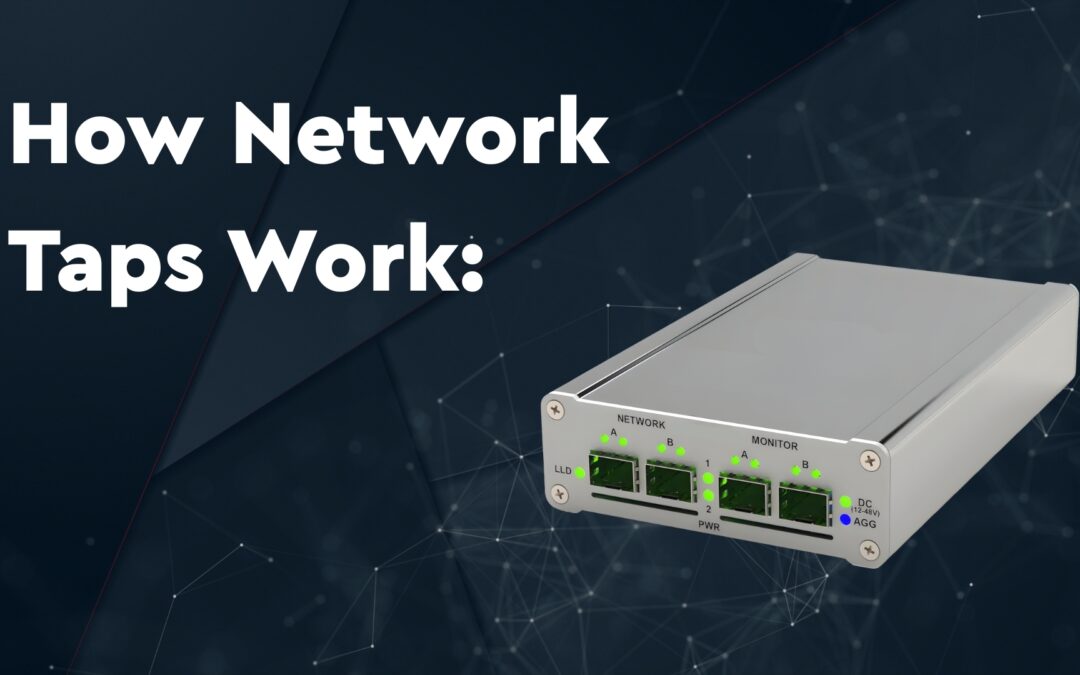
Have you ever wondered how companies keep an eye on every bit of data zooming through their networks without introducing latency? The secret lies in a simple, clever, and highly reliable tool called a Network Monitoring Tap (Test Access Point). This specialised hardware allows network and security teams to non-intrusively “listen in” on the data flowing across their networks. Unlike generic software based monitoring tools, a network tap copies data in real time for analytics without disturbing the original data flow. Let’s take a dive deep, to understand exactly how network taps work.
What is a Network Tap?
A Network Tap is a dedicated hardware device placed between two points in a network, like between a router and a switch, or a firewall and server. Its primary function is to create an identical copy of all data packets traveling across the network and send these copies to external monitoring tools for analysis.
It functions as a physical splitter, acting like a one-way mirror. The live data passes through the tap freely in both directions. The tap silently and passively copies everything, sending the duplicated traffic to external monitoring devices where IT teams can use it for security analysis, troubleshooting and packet analysis, performance monitoring, and compliance — often as part of a broader network monitoring strategy.
How Does a Network Tap Work? The Mechanics
At a fundamental level, a network tap connects inline, directly into the physical network cable. Instead of the cable running straight from one device to another, it runs through the tap.
The tap splits the data flow and sends an identical copy of every packet to a monitoring device, while the original data keeps flowing between the two devices without any interruptions
Step-by-step data flow:
- Two devices on a network are usually connected by a cable—say, a router and a switch.
- A network tap is placed in between these two devices.
- Full-duplex traffic flows normally between the devices through the tap’s network ports (Port A and port B).
- At the same time, the tap creates an exact replica of the data packets travelling in both directions (A to B and B to A) simultaneously.
- These copies are aggregated or replicated and then sent out of a monitor port on the tap to a dedicated monitoring device.
How Does a Network Tap Handle Full-Duplex Traffic?
Modern networks send data in both directions simultaneously, called full-duplex communication. Therefore, the tap is required to copy both data streams simultaneously.
A network tap has separate circuits for each direction: one to copy traffic from device A to B, and another for traffic from B to A. Then, the two copies are combined or sent separately to monitoring devices. In this way it ensures a complete picture of both data streams is received by the monitoring tools.
Essential Components of a Network Tap?
Every network tap utilises specialised circuitry to maintain network integrity while duplicating traffic. The tap must have at least three connection points:
- Port A: Connects to the first network device (e.g., a router)
- Port B: Connects to the second network device (e.g., a switch)
- Monitor Port: The dedicated output port that sends a copy of the data to a monitoring device, like a security analyzer or network probe
The network tap is designed to handle full-duplex communication. It copies the data going from A to B and from B to A simultaneously. Thus, ensuring the monitor device receives the complete, synchronised picture.
Different Types of Network Taps Explained Simply
Not all taps are the same. Their design depends on the network’s needs. Here are the main types:
- Passive Taps: No power required. They use optic splitters (fibre) or simple couplers (copper) to split the data signal into two equal parts — one continues to the destination, the other is copied to the monitoring device. Since they don’t rely on electricity, passive taps keep working even if power is lost.
- Active Taps: Require power and include electronics to regenerate signals or filter traffic. Best for high-speed or complex networks where signal integrity matters. If power fails, active taps stop working — worth factoring into your network downtime planning.
- Aggregation Taps: Combine full-duplex traffic onto a single monitor port output, making it easier to monitor several sources with fewer tools.
- Regeneration Taps: Create multiple copies of the tapped data stream so several monitoring tools can access the same data simultaneously — commonly deployed in data center environments where multiple teams need the same traffic feed.
- Bypass Taps: Include a fail-safe mechanism to ensure uninterrupted network traffic even if a monitoring device fails.
Why Not Just Use Port Mirroring Instead of Taps?
Port mirroring (SPAN) is a software feature available on switches that copies network traffic to monitoring ports. But it has downsides:
- It can drop packets under heavy traffic, missing important data.
- It uses switch resources, which can slow the network — a common cause of network bottlenecks.
- It may only copy traffic in one direction or miss full-duplex data unless carefully configured.
A dedicated network tap provides a hardware-level, reliable copy instead — guaranteeing 100% packet capture without impacting network performance or adding latency. This matters most in hybrid infrastructure, where traffic crosses multiple environments and any packet loss creates blind spots.
Why Is a Network Tap Important?
After understanding the limitations of Port Mirroring, using a physical tap brings accuracy, reliability, and safety to your monitoring solution.
- Accuracy: A network tap copies 100% of all the data packets, including errors. This is crucial for forensic analysis or spotting security threats.
- Reliability: Since taps work passively, they don’t slow down or disrupt network traffic. If a tap loses power (in case of passive taps), it still lets data pass through normally.
- Invisible to Attackers: Taps have no IP address and can’t be detected on the network, making them secure tools for capturing sensitive data traffic.
- Safe for Networks: Unlike inline devices, taps don’t introduce delays or risks of outages.
Final Thoughts: The Value of Network Visibility
Understanding how network taps work reveals their crucial role in modern network management. These small but powerful devices help IT teams watch over every piece of data without disturbing networks. Thus, it catches problems early and keeps systems safe.
If you’re curious about network security, or troubleshooting, remember: network taps give you eyes on your data. For comprehensive, no-fuss monitoring, network taps remain the simplest way to watch your network’s every move.